wins77 Casino Mobile App
We at wins77 offer a native Android app and mobile-web options so you can access Liga 1 betting, live-dealer roulette, slots, and esports markets from your phone. Our app brings faster load times, offline balance viewing, and push notifications for match updates—available where local law permits.
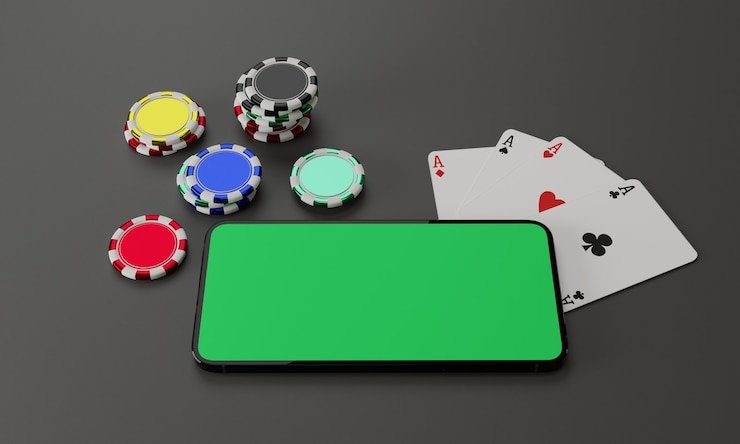
- Update
- LoginOTP Verification
- SHA256 Match
Mobile-first design on wins77 means you can deposit via e-wallet or mobile banking, verify your account with your camera, and withdraw to your payment method without switching between browsers. Whether you choose Android APK, iOS Safari, or our responsive web app, your account balance and transaction history sync instantly across all devices.
This guide walks you through downloading our app, installing it on Android or iOS, creating your account, and placing your first bet on Piala AFF or a live-dealer game—all from your phone.
Download and Install wins77 on Your Phone
Our wins77 app is available via direct APK download for Android users and through the mobile browser for iOS users. We do not distribute through Google Play or the Apple App Store, so installation requires a few extra steps. All versions—Android APK, iOS web app, and web browser—connect to the same wins77 backend, meaning your balance and bet history remain consistent across platforms.

Installation Steps
- Download: On Android, visit our main site and tap the Android APK download button; on iOS, open Safari and bookmark wins77.id or add it to your home screen.
- Install: Android users may see a security warning—tap "Install anyway" after allowing unknown sources in settings; iOS users will see an app icon on their home screen.
- Register or log in: Open the app, create a new account with your email, username, and mobile number, or log in if you already have a wins77 account.
- Verify and deposit: Complete your email verification and KYC (upload ID photo), then choose a payment method (QRIS, e-wallet, mobile banking) to fund your account.
Mobile App vs. Browser: Why Use the wins77 App
We at wins77 build the native app to offer offline balance caching—your current funds display even without internet—and faster game loading compared to the mobile browser. Push notifications alert you when Liga 1 matches are about to start, a live-dealer table opens, or your withdrawal is approved. The app also stores your login session longer, so you stay signed in between sessions without repeatedly entering your password. If you prefer simplicity and do not want to manage an installation, the mobile browser delivers the full wins77 experience without these extras; both options support deposits via local payment, online payment, or e-wallet.
Device Compatibility and System Requirements
Our wins77 app requires Android 7.0 or later (released in 2016). iOS users access wins77 via Safari on iPhone 5s or later (iOS 12+). If your phone is older than these specifications, you can still use wins77 through any mobile browser on the web version. We regularly test on the most common devices used in Jakarta, Surabaya, Bandung, and Medan to ensure reliability.
Troubleshooting Installation Issues
Android users may encounter a "Unknown sources" warning when downloading the APK—this is normal because we do not publish through the Google Play Store. To proceed, go to your phone's Settings > Security > Unknown Sources and enable it. iOS users sometimes see a certificate warning when adding wins77 to their home screen; this occurs because we use a security certificate specific to our domain. Tap "Allow" to continue. If the app crashes after installation, clear your phone's cache (Settings > Apps > wins77 > Storage > Clear Cache) and restart the app. Contact our support team via the in-app help menu if issues persist.

Data, Permissions, and Account Security on the wins77 App
When you install our wins77 app, it requests permission to access your camera (for KYC photo uploads), contacts (optional, for account recovery hints), and device storage (to cache game data and balance information). We never sell or share these permissions with third parties. All communication between your phone and our wins77 servers is encrypted via HTTPS. Your login credentials and account balance are stored locally on your device only if you enable "Remember me"; you can disable this in Settings. We recommend enabling two-factor authentication (2FA) in your account settings—this adds a second security layer even if someone gains your password. After every withdrawal request, we perform verification checks that may take up to one business day; during this time, your withdrawal status appears in the app as "Under Review."
Our wins77 services are available only where local law permits
Before using the app, confirm that online gaming is permitted in your jurisdiction. We use geolocation checks, but you remain responsible for verifying compliance with local law.
What You Can Do on the wins77 Mobile App
Place bets on Liga 1, Piala AFF, Champions League
Play slots: Aviator, Sweet Bonanza, Fortune Tiger
Join live roulette, baccarat, Dragon Tiger tables
Deposit via mobile banking, local payment, online payment, e-wallet, mobile banking
Bet on esports: Mobile Legends, Free Fire, PUBG
Withdraw to your bank account securely
Enable two-factor authentication for security
View your balance and transaction history